




I am archiving this project because I no longer have a Hubitat to test with. Mine died and I am now just running everything through the alexa hub.
—
Hubitat Dark Theme
A custom dark mode JavaScript-injected theme for Hubitat’s admin interface. This method overrides the default light UI without modifying Hubitat itself. Ideal for use with reverse proxies like Nginx Proxy Manager (NPM), Caddy, or Traefik — or manually via browser extensions.
✅ No need to modify Hubitat firmware or dashboards
✅ Automatically injects and applies a full dark mode stylesheet
Features
- Seamless dark mode for all core pages
- Improved contrast, readability, and touch support
- Fully mobile-friendly (tested on iOS Safari + Android)
- Themed scrollbars, buttons, inputs, tables, tabs, dropdowns, modals, etc.
- Works even after reboots or firmware updates (when used with a proxy)
Installation Options
🔁 Option 1: Reverse Proxy JavaScript Injection (Recommended)
This is the most powerful and persistent way to apply the dark theme.
✅ Requirements
- A reverse proxy like Nginx Proxy Manager (NPM), Caddy, or Traefik
- A public
.jsfile that injects the dark theme CSS
✅ Example for Nginx Proxy Manager
- Host your JavaScript injector file somewhere public, e.g.:
https://yourdomain.com/hubitat/theme-inject.js
- Add this to your Custom Nginx Configuration in NPM:
sub_filter '</body>' '<script src="https://yourdomain.com/hubitat/theme-inject.js"></script></body>';
sub_filter_once off;
sub_filter_types text/html;
proxy_set_header Accept-Encoding "";
This injects the JavaScript file at the bottom of every Hubitat page.
- The JS file dynamically adds the dark theme CSS to
<head>when the page loads.
🧩 Option 2: Browser Extension Injection
For testing or personal use without a reverse proxy.
Use extensions like:
- Stylus (inject JS via
@document) - Tampermonkey / Violentmonkey
- User JavaScript and CSS
Paste in this injection code or link to the hosted JS file.
Hosting the Script
You can host the injector JS file (theme-inject.js) on:
- GitHub Pages
- Your own web server
- Cloudflare Pages, R2, jsDelivr, etc.
Example GitHub Pages URL:
https://yourgithubusername.github.io/hubitat-dark/theme-inject.js
What Should Be In theme-inject.js
Example content for the injector file:
// hubitat/theme-inject.js
(function () {
  const cssUrl = 'https://yourdomain.com/hubitat/hubitat-dark.css';
  const link = document.createElement('link');
  link.rel = 'stylesheet';
  link.href = cssUrl;
  document.head.appendChild(link);
})();
Be sure to replace the CSS URL with your actual hosted theme path.
Screenshots
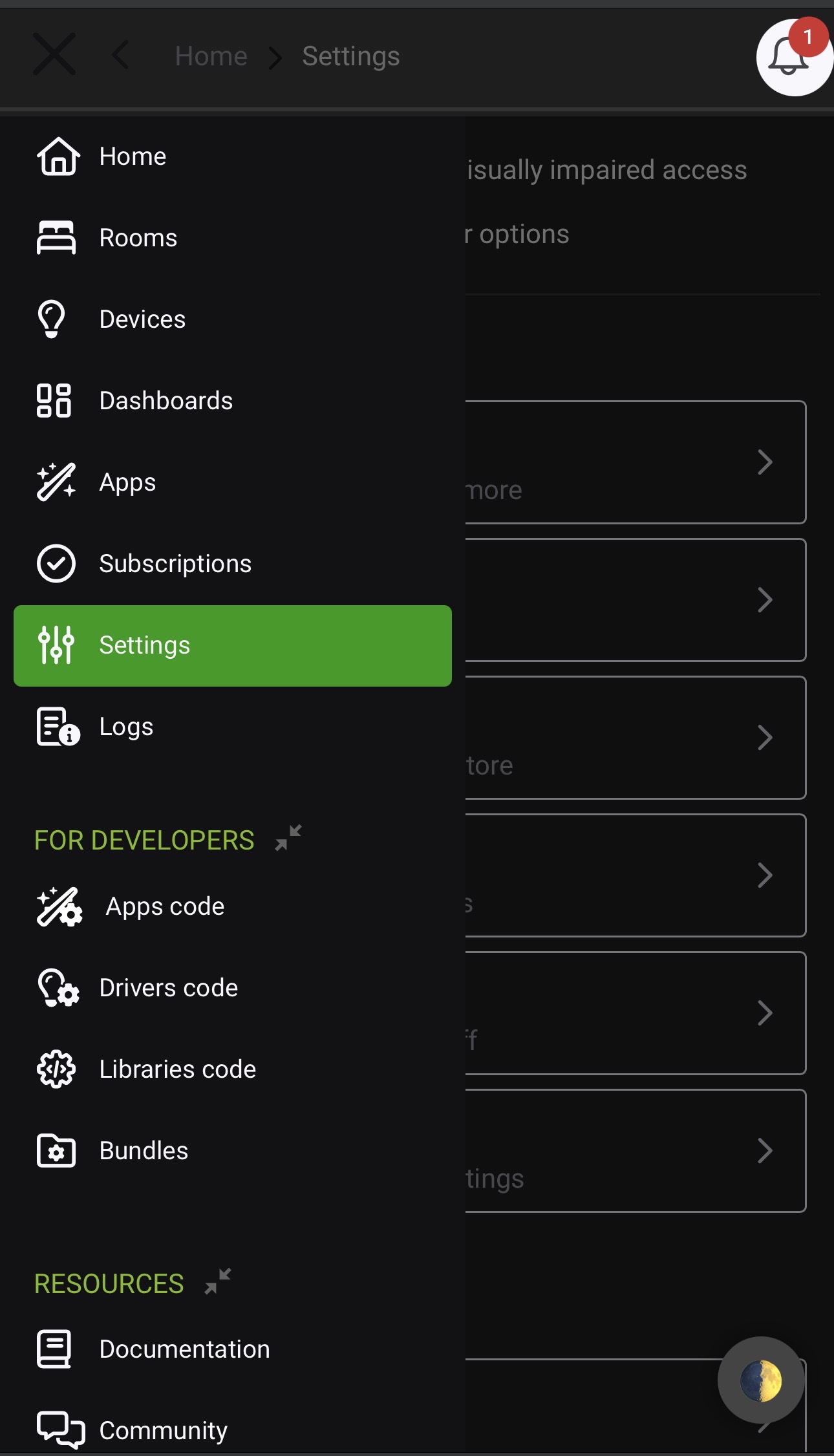
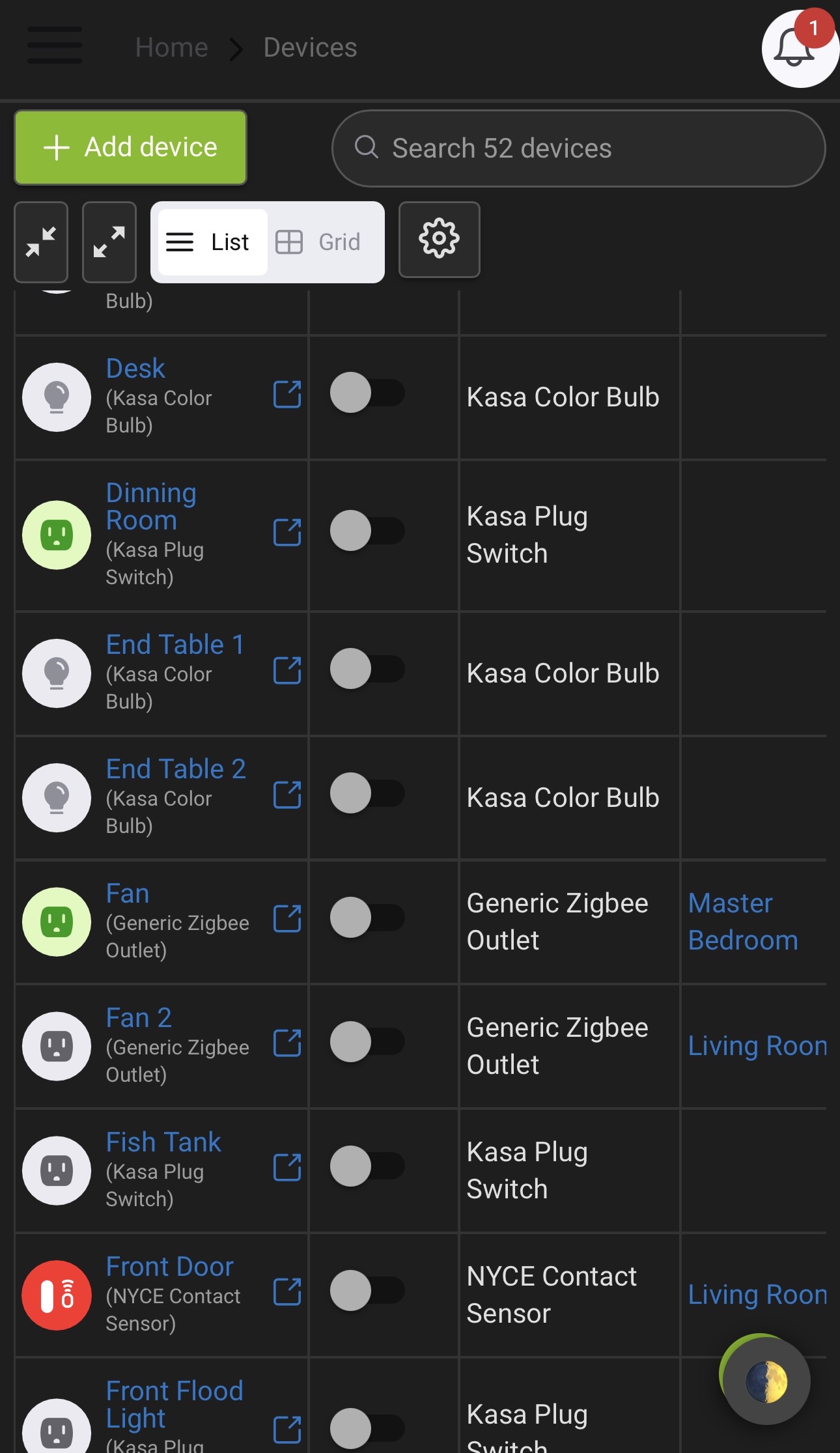
📸 These screenshots show the theme applied via JS injection through a reverse proxy.
Tips & Compatibility
- ✅ Works across all Hubitat pages, including devices, apps, logs, etc.
- ✅ Works on mobile (iOS/Android)
- 🌓 Compatible with
prefers-color-scheme: darkif extended later - ⚠️
sub_filtermust be enabled in NPM or your proxy config
📜 License
MIT – Free to use, share, or modify.
Not affiliated with Hubitat Elevation.
🛠 Made By
ChilSoft.com — fueled by caffeine and irrational CSS decisions.
⚠️ Disclaimer
This site and theme are provided “as-is” for educational and informational purposes only.
Use at your own risk. We are not responsible for device issues, bricked hubs, lost Z-Wave networks, etc.
© 2025 ChilSoft. All rights reserved.